
Show hide or resize desktop icons
Show hide or resize desktop icons
Here’s how to show icons, hide them, or change their size in Windows 10.
To show or hide desktop icons
Right-click (or press and hold) the desktop, point to View, and then select Show desktop icons to add or clear the check mark.
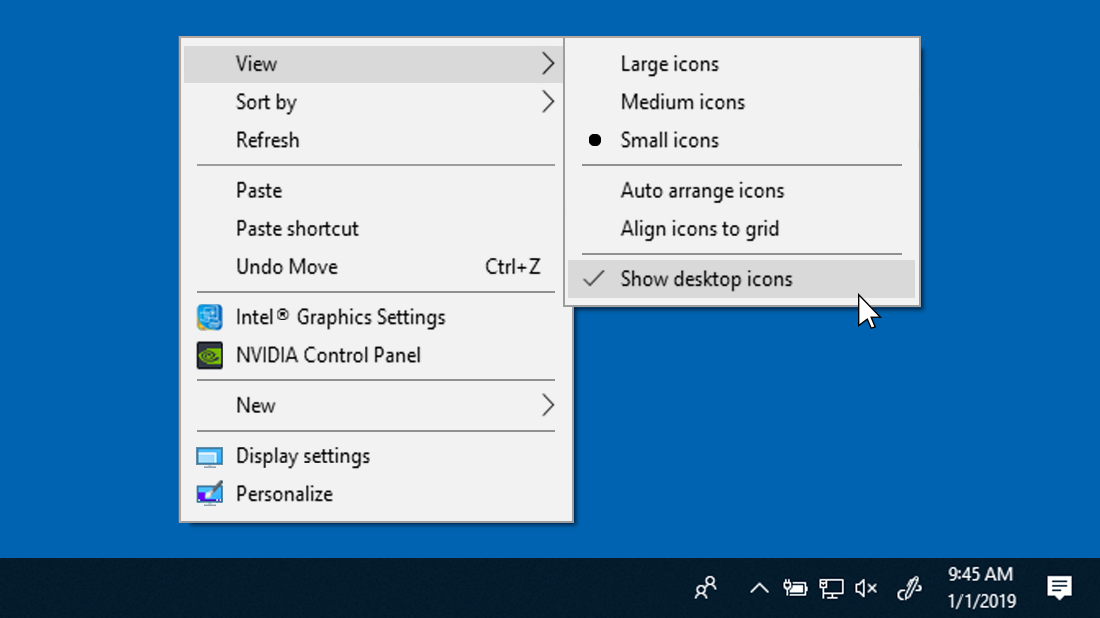
Note: Hiding all the icons on your desktop doesn’t delete them, it just hides them until you choose to show them again.
To resize desktop icons
Right-click (or press and hold) the desktop, point to View, and then select Large icons, Medium icons, or Small icons.
Tip: You can also use the scroll wheel on your mouse to resize desktop icons. On the desktop, press and hold Ctrl while you scroll the wheel to make icons larger or smaller.
